For mobile mechanics
A CRM for mobile mechanics, not a shop system with the shop taken out
You work out of a van. Every part of this assumes that: the estimate is written where the car is, the approval comes back as a text, and the card is taken before the tools go away.
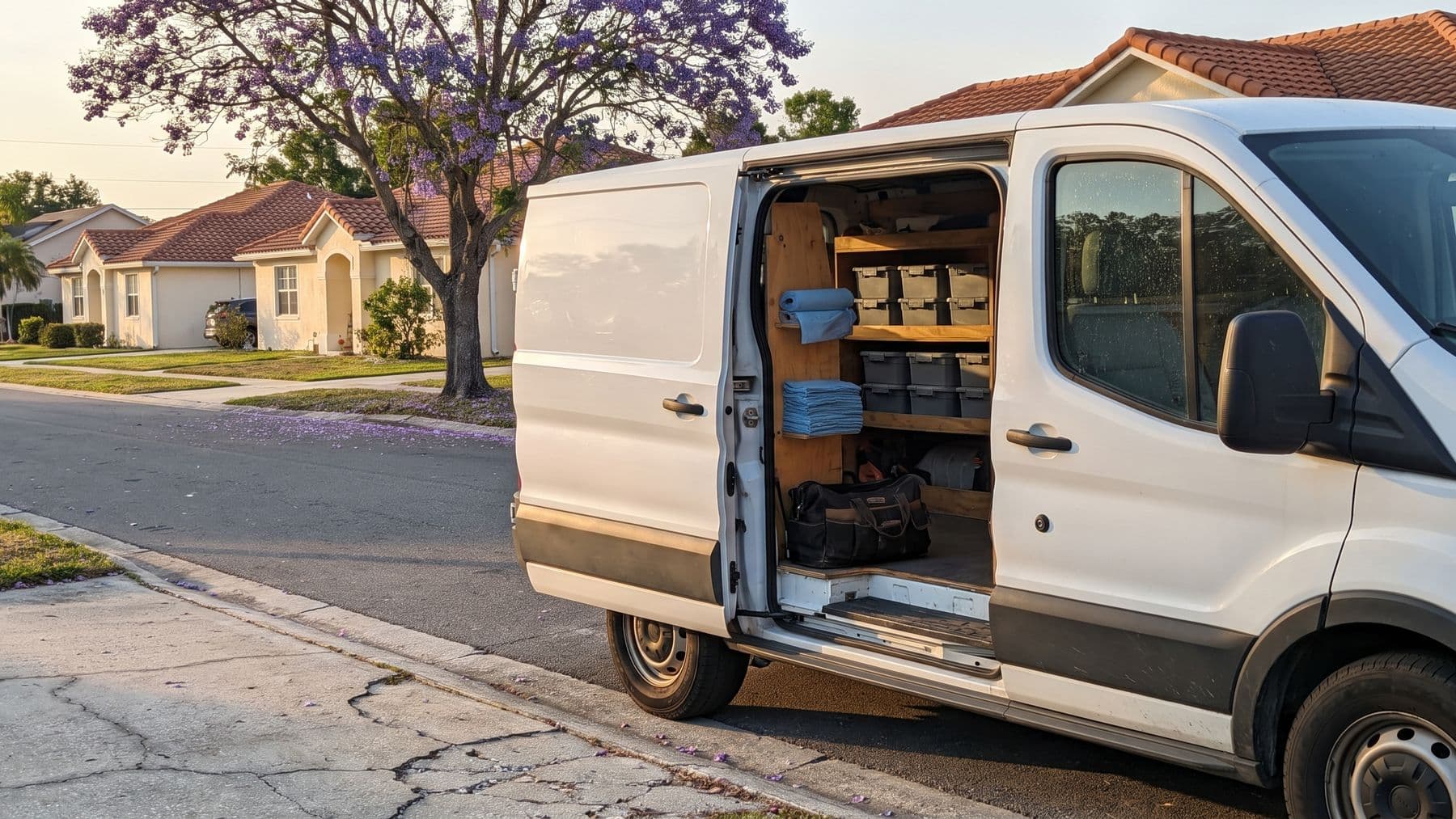
Most software sold to mechanics assumes a building. There is a counter, a phone sitting on it, somebody standing behind it, and a computer that stays where you left it. Take the building away and a good half of that software stops making sense. You end up using the parts that survive the move and keeping the rest in your head, your texts and a notes app.
Fixty starts from the other end. There is you, a van, a phone, and a customer standing in their own driveway waiting to hear a number. So the record of the job lives where the job is. You open it in the Fixty app or a browser on the phone in your hand, and it is the same record your customer sees when they tap the link you send them.
That is what CRM means for this kind of work. Not a database somebody else maintains. The running answer to who called, what you quoted, what they agreed to, what you actually found, and whether the money arrived.
A day with no front desk
Nothing below needs a laptop, an office, or a second person. That is the whole test a mobile workflow has to pass.
Overnight
A request lands from your booking page while you are asleep. In the morning it is on the pipeline board as a new request, with the phone number, the vehicle, and whatever the customer typed about the noise.
In the driveway
You open the job on your phone and build the quote from your service library. Labor comes in at your default hourly rate, parts take your markup, tax follows the setting you picked once and forgot about.
Before you touch a bolt
Send the quote. It goes out as a link by text and email. The customer opens it in their browser with nothing to install, approves the lines they want, declines the ones they do not, or asks you for a change. An approval sets the job to approved on its own.
Under the car
Add the inspection while you are looking at the thing. Mark each item checked and ok, may need attention, or needs immediate attention, photograph what is worn, and write the note there rather than three jobs later when the details have blurred together.
Packing up
Turn the work order into an invoice. Every line carries across. Send it and the customer pays through a Stripe checkout page on their own phone, standing next to you, before the van doors close.
Driving to the next one
Mileage tracking sits in the same app, so the miles between jobs end up in a report instead of on the back of a fuel receipt in the door pocket.
The parts that matter when the shop is a van
Every row below is one of the axes Fixty is measured on across this site. The label and the caveat come from the same record the comparison tables read, so this list cannot flatter itself.
Runs entirely from a phone
Estimate, inspection, schedule and payment all work from a phone, in the browser or the free Fixty app.
There is no desktop step waiting for you at home. If a job can be finished at the curb, it gets finished at the curb.
Public booking page
This is the closest thing you have to a front counter. It keeps taking work while both your hands are busy.
Customer approves the estimate by text, line by line
The customer opens a link, picks the lines they want, and signs.
A customer who can decline one line and approve the other two usually approves something. A customer who has to say yes to the whole number often says nothing at all.
Photo vehicle inspections
Included on every plan, not an upgrade.
A photo of a torn boot ends the argument you would otherwise be having in a driveway with somebody who cannot see under their own car.
Two way SMS with the customer
Your customers text. They do not check email between meetings to see whether their brakes are done.
Card payments
Stripe, paid from the same link as the estimate.
Taking the card before you leave is the difference between an invoice and a debt.
Job pipeline board
One board holds every job you are juggling, and the columns are yours to name, so the one that is waiting on you is visible instead of remembered.
Where Fixty stops
Four of these are rows Fixty loses on every comparison table on this site. Better you read them here than find them in week two.
Route optimization: no
Fixty does not do this. It was advertised once by mistake and the claim was retracted.
Parts inventory management: no
Fixty tracks parts on a job, not stock on a shelf.
Multi technician teams: no
One mechanic, one workspace. Built solo first on purpose.
Accounting sync: no
No QuickBooks or Xero integration today.
- There is no offline mode. In a basement garage with no signal, the Fixty app and the browser both need a connection, the same as everything else on your phone.
- Fixty does not order parts. There is no vendor catalog and no live availability, so the part number and the price are whatever you type in.
If two or more of those are the reason you were looking for software in the first place, keep looking. It costs you an afternoon now instead of a month of moving your customer list into something that was never going to fit.
Nobody is answering the phone while you are under a car
This is the actual difference between a mobile mechanic and a shop, and it is not the van. A shop has somebody whose job is to be reachable. You do not. Every hour you spend with your arms inside an engine bay is an hour your business is unreachable, and the work you lose that way is invisible, because a caller who gives up never appears anywhere you would look.
Fixty does not solve that with a receptionist. It solves it by moving the parts of the conversation that do not need you off your hands:
- The booking page takes the request in full: contact details, vehicle, what is wrong, when they would like you. It is a link, so it goes on your Google profile, your van, and the bottom of every text you send.
- Appointment confirmations and reminders go out on their own, so the follow up that stops a wasted drive is not another thing you have to remember at nine at night.
- A quote that is sitting unanswered is visible on the board instead of buried in a thread, which is usually all it takes to get it chased.
- On Growth, the text number is separate from your personal one, so the business stops ringing your pocket at dinner and the messages stay with the job.
None of that is artificial intelligence and none of it books work for you. It is the plumbing that a front desk is, minus the desk.
The drive is part of the job, and it is the part nobody bills for
A shop mechanic walks to the next bay. You drive across town, and that time is real: it is fuel, it is tires, it is the reason a cheap job an hour away is not a cheap job. Software written for shops has nowhere to put any of it, so it quietly disappears from your numbers and you find out at tax time how much you guessed.
Fixty holds two ends of it. The appointment carries the service address, because where you are going is as much a part of the booking as when. And mileage tracking is built in, with reports, so the miles between jobs are recorded as you drive them rather than reconstructed in April from a shoebox.
What it will not do is decide the order you drive them in. That is the next section, and it is the most important paragraph on this page.
Why Fixty will not plan your route
Route optimization was advertised on this website once. It was never built. The claim has been pulled and the feature is written down as a no in the same file every comparison table on this site reads, so it cannot quietly come back as a bullet point in a year.
That matters more than the feature does. A mobile mechanic evaluating software has no way to check most of what a landing page promises until the money has already moved, so the only useful signal is whether the page is willing to tell you something that costs it the sale. This one is.
The practical answer: if your day is won or lost on drive time, keep a routing app next to Fixty and plan the day there. Fixty holds the jobs, the addresses and the money. It does not pretend to be a dispatcher.
Questions people ask before they sign up
Do I have to install an app?
No, but you can. Fixty runs in a browser on your phone, a tablet or a laptop, and the free Fixty app on the App Store and Google Play signs in with the same account. There is nothing for your customer to install either. They tap the link in your text and the quote opens.
My customers are not going to sign up for anything.
They do not have to. Quotes, inspections and invoices open from a link, and paying happens on a Stripe checkout page. Nobody creates an account to say yes to a brake job.
What does it cost?
Starter is $99 per month. Growth is $149 per month and adds the dedicated text number, two way texting, service reminders, campaigns and review requests. Both plans open with a 14 day free trial: a card is collected at signup and charged on day 14. Cancel any time and your access runs to the end of the cycle you have already paid for.
Can I stop the business calling my personal number?
Yes, on Growth. It comes with a dedicated text number and two way texting, so the customer thread belongs to the business rather than to your phone.
I am one person. Is this going to be too much software?
It is built for one person, which is why there is no technician assignment, no parts stock and no approval chain in it. If you are already tracking jobs somewhere, this is the same tracking with the estimate, the photos and the payment attached to it.
Try it on the next job in your driveway
Write the estimate where the car is, text it, let them approve the lines they want, and take the card before you pack the tools away.
Try Fixty free for 14 days